

코더 컨커 시큐리티 OWASP Top 10 API 시리즈 - 보안 기능 비활성화/디버그 기능 활성화/부적절한 권한


While most of the vulnerabilities on this list are pretty specific to APIs, the disabled security features/debug features enabled/improper permissions problem is one that can strike anywhere. It's likely a little more prevalent in APIs, but attackers will often attempt to find unpatched flaws and unprotected files or directories anywhere in a network. Coming across an API that has debugging enabled or security features disabled just makes their nefarious work a little easier. Worse yet, automated tools are available to detect and exploit security misconfigurations, so if you have them in your environment, there is a good chance that they will be exploited, which is why this vulnerability made the OWASP list of dangerous API flaws.
Before we get into the fun, see if you can solve this debug challenge:
How does the disabled security features/debug features enabled/improper permissions flaw sneak into an API?
To see how this multidimensional API flaw gets added to networks, we must break it down into its component parts. Let's start with the enabled debug features problem. Debugging is a useful tool that helps developers figure out why applications aren't performing correctly or making errors. With debugging enabled, errors and exceptions generate detailed error pages so developers can see what went wrong and fix problems. It's perfectly fine to have this active while an application is still in development.
However, there is a reason why most frameworks come with warnings about running debug mode in a production environment, likely right in the code where debugging is activated. For example:
# SECURITY WARNING: dont run with debug turned on in production!
DEBUG = True
In this example, debugging has been activated. The Django application will generate detailed error pages when an exception is raised. If this is done in a production environment, an adversary would have access to these error pages, which includes metadata information about the environment. Although most frameworks have debugging turned off by default, it's easy to forget to switch it back off if activated during a long development process. Then when the application moves to a production environment, it provides attackers with a lot of information about how to compromise an application, or even an entire server or network.
While enabling debug mode is mostly a standalone problem, the improper permissions and disabled security features vulnerabilities often work together. For example, in a real scenario provided by OWASP, an attacker used a search engine to find a database that was accidentally connected to the internet. Because the popular database management system was using its default configuration, authentication was disabled. Thus, by combining the improper permissions and disabled security features vulnerabilities, the attacker gained access to millions of records with PII, personal preferences and authentication data.
Eliminating the disabled security features/debug features enabled/improper permissions vulnerabilities
You probably need to make a two-pronged approach in eliminating this vulnerability. To remove the enabled debug part of the problem, simply add a check to the development process to ensure that debugging is disabled before moving an API or application to the production environment. From our example, the proper command to do that would be as follows:
# SECURITY WARNING: dont run with debug turned on in production!
DEBUG = False
Now debug features in the Django application are disabled with the DEBUG flag configured to False. No error pages will be generated in response to errors. If an adversary still gains access to error pages, they won't contain any useful metadata, and won't pose a risk to the application.
Eliminating disabled security features and improper permissions vulnerabilities is a bit more difficult because they can encompass a wide range of specific vulnerabilities. The best way to stop them is to develop a standard and repeatable process to allow for the fast and easy deployment of locked down assets to the production environment.
Even then, you should create a process where orchestration files, API components, and cloud services like Amazon S3 bucket permissions are constantly reviewed and updated. This review should also rate the overall effectiveness of security settings across the entire environment over time to make sure the organization is always improving its API security.
Check out the Secure Code Warrior blog pages for more insight about this vulnerability and how to protect your organization and customers from the ravages of other security flaws. You can also try a demo of the Secure Code Warrior training platform to keep all your cybersecurity skills honed and up-to-date.

API에서 조금 더 널리 퍼져 있을 가능성이 높지만 공격자는 네트워크 어디서나 패치가 적용되지 않은 결함이나 보호되지 않은 파일 또는 디렉터리를 찾으려고 시도하는 경우가 많습니다.디버깅이 활성화되거나 보안 기능이 비활성화된 API를 발견하면 악의적인 작업이 조금 더 쉬워집니다.
Matias Madou, Ph.D. is a security expert, researcher, and CTO and co-founder of Secure Code Warrior. Matias obtained his Ph.D. in Application Security from Ghent University, focusing on static analysis solutions. He later joined Fortify in the US, where he realized that it was insufficient to solely detect code problems without aiding developers in writing secure code. This inspired him to develop products that assist developers, alleviate the burden of security, and exceed customers' expectations. When he is not at his desk as part of Team Awesome, he enjoys being on stage presenting at conferences including RSA Conference, BlackHat and DefCon.
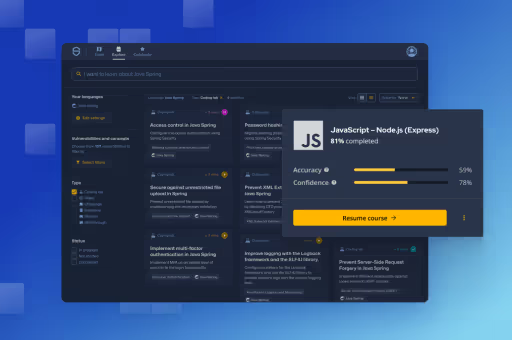
Secure Code Warrior는 전체 소프트웨어 개발 라이프사이클에서 코드를 보호하고 사이버 보안을 최우선으로 생각하는 문화를 조성할 수 있도록 조직을 위해 여기 있습니다.AppSec 관리자, 개발자, CISO 또는 보안 관련 누구든 관계없이 조직이 안전하지 않은 코드와 관련된 위험을 줄일 수 있도록 도와드릴 수 있습니다.
데모 예약


Matias Madou, Ph.D. is a security expert, researcher, and CTO and co-founder of Secure Code Warrior. Matias obtained his Ph.D. in Application Security from Ghent University, focusing on static analysis solutions. He later joined Fortify in the US, where he realized that it was insufficient to solely detect code problems without aiding developers in writing secure code. This inspired him to develop products that assist developers, alleviate the burden of security, and exceed customers' expectations. When he is not at his desk as part of Team Awesome, he enjoys being on stage presenting at conferences including RSA Conference, BlackHat and DefCon.
Matias is a researcher and developer with more than 15 years of hands-on software security experience. He has developed solutions for companies such as Fortify Software and his own company Sensei Security. Over his career, Matias has led multiple application security research projects which have led to commercial products and boasts over 10 patents under his belt. When he is away from his desk, Matias has served as an instructor for advanced application security training courses and regularly speaks at global conferences including RSA Conference, Black Hat, DefCon, BSIMM, OWASP AppSec and BruCon.
Matias holds a Ph.D. in Computer Engineering from Ghent University, where he studied application security through program obfuscation to hide the inner workings of an application.
While most of the vulnerabilities on this list are pretty specific to APIs, the disabled security features/debug features enabled/improper permissions problem is one that can strike anywhere. It's likely a little more prevalent in APIs, but attackers will often attempt to find unpatched flaws and unprotected files or directories anywhere in a network. Coming across an API that has debugging enabled or security features disabled just makes their nefarious work a little easier. Worse yet, automated tools are available to detect and exploit security misconfigurations, so if you have them in your environment, there is a good chance that they will be exploited, which is why this vulnerability made the OWASP list of dangerous API flaws.
Before we get into the fun, see if you can solve this debug challenge:
How does the disabled security features/debug features enabled/improper permissions flaw sneak into an API?
To see how this multidimensional API flaw gets added to networks, we must break it down into its component parts. Let's start with the enabled debug features problem. Debugging is a useful tool that helps developers figure out why applications aren't performing correctly or making errors. With debugging enabled, errors and exceptions generate detailed error pages so developers can see what went wrong and fix problems. It's perfectly fine to have this active while an application is still in development.
However, there is a reason why most frameworks come with warnings about running debug mode in a production environment, likely right in the code where debugging is activated. For example:
# SECURITY WARNING: dont run with debug turned on in production!
DEBUG = True
In this example, debugging has been activated. The Django application will generate detailed error pages when an exception is raised. If this is done in a production environment, an adversary would have access to these error pages, which includes metadata information about the environment. Although most frameworks have debugging turned off by default, it's easy to forget to switch it back off if activated during a long development process. Then when the application moves to a production environment, it provides attackers with a lot of information about how to compromise an application, or even an entire server or network.
While enabling debug mode is mostly a standalone problem, the improper permissions and disabled security features vulnerabilities often work together. For example, in a real scenario provided by OWASP, an attacker used a search engine to find a database that was accidentally connected to the internet. Because the popular database management system was using its default configuration, authentication was disabled. Thus, by combining the improper permissions and disabled security features vulnerabilities, the attacker gained access to millions of records with PII, personal preferences and authentication data.
Eliminating the disabled security features/debug features enabled/improper permissions vulnerabilities
You probably need to make a two-pronged approach in eliminating this vulnerability. To remove the enabled debug part of the problem, simply add a check to the development process to ensure that debugging is disabled before moving an API or application to the production environment. From our example, the proper command to do that would be as follows:
# SECURITY WARNING: dont run with debug turned on in production!
DEBUG = False
Now debug features in the Django application are disabled with the DEBUG flag configured to False. No error pages will be generated in response to errors. If an adversary still gains access to error pages, they won't contain any useful metadata, and won't pose a risk to the application.
Eliminating disabled security features and improper permissions vulnerabilities is a bit more difficult because they can encompass a wide range of specific vulnerabilities. The best way to stop them is to develop a standard and repeatable process to allow for the fast and easy deployment of locked down assets to the production environment.
Even then, you should create a process where orchestration files, API components, and cloud services like Amazon S3 bucket permissions are constantly reviewed and updated. This review should also rate the overall effectiveness of security settings across the entire environment over time to make sure the organization is always improving its API security.
Check out the Secure Code Warrior blog pages for more insight about this vulnerability and how to protect your organization and customers from the ravages of other security flaws. You can also try a demo of the Secure Code Warrior training platform to keep all your cybersecurity skills honed and up-to-date.


While most of the vulnerabilities on this list are pretty specific to APIs, the disabled security features/debug features enabled/improper permissions problem is one that can strike anywhere. It's likely a little more prevalent in APIs, but attackers will often attempt to find unpatched flaws and unprotected files or directories anywhere in a network. Coming across an API that has debugging enabled or security features disabled just makes their nefarious work a little easier. Worse yet, automated tools are available to detect and exploit security misconfigurations, so if you have them in your environment, there is a good chance that they will be exploited, which is why this vulnerability made the OWASP list of dangerous API flaws.
Before we get into the fun, see if you can solve this debug challenge:
How does the disabled security features/debug features enabled/improper permissions flaw sneak into an API?
To see how this multidimensional API flaw gets added to networks, we must break it down into its component parts. Let's start with the enabled debug features problem. Debugging is a useful tool that helps developers figure out why applications aren't performing correctly or making errors. With debugging enabled, errors and exceptions generate detailed error pages so developers can see what went wrong and fix problems. It's perfectly fine to have this active while an application is still in development.
However, there is a reason why most frameworks come with warnings about running debug mode in a production environment, likely right in the code where debugging is activated. For example:
# SECURITY WARNING: dont run with debug turned on in production!
DEBUG = True
In this example, debugging has been activated. The Django application will generate detailed error pages when an exception is raised. If this is done in a production environment, an adversary would have access to these error pages, which includes metadata information about the environment. Although most frameworks have debugging turned off by default, it's easy to forget to switch it back off if activated during a long development process. Then when the application moves to a production environment, it provides attackers with a lot of information about how to compromise an application, or even an entire server or network.
While enabling debug mode is mostly a standalone problem, the improper permissions and disabled security features vulnerabilities often work together. For example, in a real scenario provided by OWASP, an attacker used a search engine to find a database that was accidentally connected to the internet. Because the popular database management system was using its default configuration, authentication was disabled. Thus, by combining the improper permissions and disabled security features vulnerabilities, the attacker gained access to millions of records with PII, personal preferences and authentication data.
Eliminating the disabled security features/debug features enabled/improper permissions vulnerabilities
You probably need to make a two-pronged approach in eliminating this vulnerability. To remove the enabled debug part of the problem, simply add a check to the development process to ensure that debugging is disabled before moving an API or application to the production environment. From our example, the proper command to do that would be as follows:
# SECURITY WARNING: dont run with debug turned on in production!
DEBUG = False
Now debug features in the Django application are disabled with the DEBUG flag configured to False. No error pages will be generated in response to errors. If an adversary still gains access to error pages, they won't contain any useful metadata, and won't pose a risk to the application.
Eliminating disabled security features and improper permissions vulnerabilities is a bit more difficult because they can encompass a wide range of specific vulnerabilities. The best way to stop them is to develop a standard and repeatable process to allow for the fast and easy deployment of locked down assets to the production environment.
Even then, you should create a process where orchestration files, API components, and cloud services like Amazon S3 bucket permissions are constantly reviewed and updated. This review should also rate the overall effectiveness of security settings across the entire environment over time to make sure the organization is always improving its API security.
Check out the Secure Code Warrior blog pages for more insight about this vulnerability and how to protect your organization and customers from the ravages of other security flaws. You can also try a demo of the Secure Code Warrior training platform to keep all your cybersecurity skills honed and up-to-date.
아래 링크를 클릭하고 이 리소스의 PDF를 다운로드하십시오.
Secure Code Warrior는 전체 소프트웨어 개발 라이프사이클에서 코드를 보호하고 사이버 보안을 최우선으로 생각하는 문화를 조성할 수 있도록 조직을 위해 여기 있습니다.AppSec 관리자, 개발자, CISO 또는 보안 관련 누구든 관계없이 조직이 안전하지 않은 코드와 관련된 위험을 줄일 수 있도록 도와드릴 수 있습니다.
보고서 보기데모 예약
Matias Madou, Ph.D. is a security expert, researcher, and CTO and co-founder of Secure Code Warrior. Matias obtained his Ph.D. in Application Security from Ghent University, focusing on static analysis solutions. He later joined Fortify in the US, where he realized that it was insufficient to solely detect code problems without aiding developers in writing secure code. This inspired him to develop products that assist developers, alleviate the burden of security, and exceed customers' expectations. When he is not at his desk as part of Team Awesome, he enjoys being on stage presenting at conferences including RSA Conference, BlackHat and DefCon.
Matias is a researcher and developer with more than 15 years of hands-on software security experience. He has developed solutions for companies such as Fortify Software and his own company Sensei Security. Over his career, Matias has led multiple application security research projects which have led to commercial products and boasts over 10 patents under his belt. When he is away from his desk, Matias has served as an instructor for advanced application security training courses and regularly speaks at global conferences including RSA Conference, Black Hat, DefCon, BSIMM, OWASP AppSec and BruCon.
Matias holds a Ph.D. in Computer Engineering from Ghent University, where he studied application security through program obfuscation to hide the inner workings of an application.
While most of the vulnerabilities on this list are pretty specific to APIs, the disabled security features/debug features enabled/improper permissions problem is one that can strike anywhere. It's likely a little more prevalent in APIs, but attackers will often attempt to find unpatched flaws and unprotected files or directories anywhere in a network. Coming across an API that has debugging enabled or security features disabled just makes their nefarious work a little easier. Worse yet, automated tools are available to detect and exploit security misconfigurations, so if you have them in your environment, there is a good chance that they will be exploited, which is why this vulnerability made the OWASP list of dangerous API flaws.
Before we get into the fun, see if you can solve this debug challenge:
How does the disabled security features/debug features enabled/improper permissions flaw sneak into an API?
To see how this multidimensional API flaw gets added to networks, we must break it down into its component parts. Let's start with the enabled debug features problem. Debugging is a useful tool that helps developers figure out why applications aren't performing correctly or making errors. With debugging enabled, errors and exceptions generate detailed error pages so developers can see what went wrong and fix problems. It's perfectly fine to have this active while an application is still in development.
However, there is a reason why most frameworks come with warnings about running debug mode in a production environment, likely right in the code where debugging is activated. For example:
# SECURITY WARNING: dont run with debug turned on in production!
DEBUG = True
In this example, debugging has been activated. The Django application will generate detailed error pages when an exception is raised. If this is done in a production environment, an adversary would have access to these error pages, which includes metadata information about the environment. Although most frameworks have debugging turned off by default, it's easy to forget to switch it back off if activated during a long development process. Then when the application moves to a production environment, it provides attackers with a lot of information about how to compromise an application, or even an entire server or network.
While enabling debug mode is mostly a standalone problem, the improper permissions and disabled security features vulnerabilities often work together. For example, in a real scenario provided by OWASP, an attacker used a search engine to find a database that was accidentally connected to the internet. Because the popular database management system was using its default configuration, authentication was disabled. Thus, by combining the improper permissions and disabled security features vulnerabilities, the attacker gained access to millions of records with PII, personal preferences and authentication data.
Eliminating the disabled security features/debug features enabled/improper permissions vulnerabilities
You probably need to make a two-pronged approach in eliminating this vulnerability. To remove the enabled debug part of the problem, simply add a check to the development process to ensure that debugging is disabled before moving an API or application to the production environment. From our example, the proper command to do that would be as follows:
# SECURITY WARNING: dont run with debug turned on in production!
DEBUG = False
Now debug features in the Django application are disabled with the DEBUG flag configured to False. No error pages will be generated in response to errors. If an adversary still gains access to error pages, they won't contain any useful metadata, and won't pose a risk to the application.
Eliminating disabled security features and improper permissions vulnerabilities is a bit more difficult because they can encompass a wide range of specific vulnerabilities. The best way to stop them is to develop a standard and repeatable process to allow for the fast and easy deployment of locked down assets to the production environment.
Even then, you should create a process where orchestration files, API components, and cloud services like Amazon S3 bucket permissions are constantly reviewed and updated. This review should also rate the overall effectiveness of security settings across the entire environment over time to make sure the organization is always improving its API security.
Check out the Secure Code Warrior blog pages for more insight about this vulnerability and how to protect your organization and customers from the ravages of other security flaws. You can also try a demo of the Secure Code Warrior training platform to keep all your cybersecurity skills honed and up-to-date.
목차
Matias Madou, Ph.D. is a security expert, researcher, and CTO and co-founder of Secure Code Warrior. Matias obtained his Ph.D. in Application Security from Ghent University, focusing on static analysis solutions. He later joined Fortify in the US, where he realized that it was insufficient to solely detect code problems without aiding developers in writing secure code. This inspired him to develop products that assist developers, alleviate the burden of security, and exceed customers' expectations. When he is not at his desk as part of Team Awesome, he enjoys being on stage presenting at conferences including RSA Conference, BlackHat and DefCon.
Secure Code Warrior는 전체 소프트웨어 개발 라이프사이클에서 코드를 보호하고 사이버 보안을 최우선으로 생각하는 문화를 조성할 수 있도록 조직을 위해 여기 있습니다.AppSec 관리자, 개발자, CISO 또는 보안 관련 누구든 관계없이 조직이 안전하지 않은 코드와 관련된 위험을 줄일 수 있도록 도와드릴 수 있습니다.
데모 예약다운로드시작하는 데 도움이 되는 리소스



시작하는 데 도움이 되는 리소스



Secure coding learning that reflects real AI usage
Align secure coding training to real AI development activity — automatically assigning guidance to developers using AI tools, without manual intervention.Align secure coding training to real AI development activity — automatically assigning guidance to developers using AI tools, without manual intervention.

Train developers on the real risks in their code, whether human-written or AI-generated
Adaptive Learning auto-assigns targeted secure coding training to the developers introducing real vulnerabilities, reducing recurring risks at the source.Secure Code Warrior blog banner with a blue overlay over a developer working at a multi-monitor desk displaying code, alongside the headline 'Train developers on the real risks in their code.'l