

Les codeurs conquièrent la sécurité : série Share & Learn - OS Command Injection


An OS command injection attack can happen whenever an application allows users to make input into a shell, but takes no actions to verify that the input strings are valid. This enables an attacker to drop commands directly into the operating system hosting the application, and at whatever permission levels are set for the compromised application.
OS command injection attacks can be performed by entry-level and less skilled hackers, which makes them one of the most common weaknesses that security teams experience. Thankfully, there are quite a few very effective ways to prevent them from being successful. In this episode, we will learn:
How they work
Why they are so dangerous
How you can put defenses in place to stop them.
How do Attackers Use OS Command Injection?
The first thing that an attacker must do in order to initiate an OS command injection attack is to locate user inputs within an application. Forms that users fill out are potentially good jumping off points. The most clever attackers can also use things like cookies or even HTTP headers as their launching point, something used by almost every application or website.
The second thing they need to do is figure out what operating system is hosting the application. Given that there are only a handful of choices, trial and error can work just fine for this phase. Most application servers are either going to be Windows-based (the flavor of Windows does not normally matter), some type of Linux box, or possibility Unix.
At that point, the hacker modifies the input to inject an operating system command into seemingly innocuous input. This can trick the hosting OS into executing unintended commands at whatever permission level the application has.
For example, the following command can be used by valid users within an application to see the contents of a file, in this case the notes from a monthly board meeting.
exec("cat " + filename)
In our example, this would execute the following command and return the meeting notes back to the user.
$ ./cat MeetingNotes.txt
There were three members of the executive committee present at the July meeting. The new budget project was discussed, but no actions or votes were taken.
This is what happens when an attacker adds additional commands at the end of the input, such as the one used to list contents of a directory in Linux. In this case, the original command, displaying the meeting notes, still happens. But the malicious user is also shown everything else is in the directory, and what other commands they can use on follow-up OS command injection attacks. They enter:
$ ./cat MeetingNotes.txt && ls
And get this instead:
There were three members of the executive committee present at the July meeting. The new budget project was discussed, but no actions or votes were taken.
MeetingNotes.txt
JuneMeetingNotes.txt
MayMeetingNotes.txt
format.c
misnull.c
notefault.c
trunc.c
writewhatwhere.c
As you can see, in this case, not only was the hacker shown the contents of the directory, but also given a menu of other commands that they could use " commands they now know they can execute on the host operating system.
Why are OS Command Injection Attacks so Dangerous?
Allowing users to bypass the purpose of the targeted application and use it to run operating system commands is extremely risky. An attacker can easily perform devastating actions such as stealing confidential data or formatting an entire server drive for example. The options available to an attacker are only limited by the allowed commands within the operating system and their creativity in using them.
OS commands are run at the same permission level as the application. Apps running with administrative privileges means hackers that compromise them can run every OS command.
The attack patterns for OS Command Injection are well known and documented. A vulnerable application is just as susceptible to script kiddies as it is to professional hackers. Attackers with very little skill can attempt to cut and paste OS commands into applications to see what happens.
Getting A Security OK against OS Command Injections
There are several good techniques that can stop OS command injections. The first step is to run applications with the least amount of privileges needed to accomplish their function. This does not prevent an attack, however if a breach does occur, the damage is minimized.
Most programming languages and frameworks provide API calls for common OS methods such as listing directory contents, creating or reading files on hard disk. One perfect way to eliminate OS command injections from your environment is to have all applications use these API calls instead of OS commands directly.
Where this is not possible, validate user inputs before using them in OS commands. Whitelists can be used to ensure only a small set of trusted values can be used. It's technically possible to do this using a blacklist too, but there are probably far fewer allowed commands, so whitelisting is almost always easier. Don't forget to include valid POST and GET parameters in your whitelist, as well as often overlooked user input vectors like cookies.
Lastly, if there is no programming API available and a whitelist cannot be used, use a sanitization library to escape any special characters in user inputs before using them in OS commands.
More Information about OS Command Injection Attacks
For further reading, you can take a look at the OWASP writeup on OS command injection attacks. You can also put your newfound defensive knowledge to the test with the free demo of the Secure Code Warrior platform, which trains cybersecurity teams to become the ultimate cyber warriors. To learn more about defeating this vulnerability, and a rogues'gallery of other threats, visit the Secure Code Warrior blog.

Les attaques par injection de commandes du système d'exploitation peuvent être effectuées par des pirates informatiques débutants et moins expérimentés, ce qui en fait l'une des faiblesses les plus courantes rencontrées par les équipes de sécurité. Heureusement, il existe de nombreux moyens très efficaces de les empêcher de réussir.
Jaap Karan Singh est un évangéliste du codage sécurisé, Chief Singh et cofondateur de Secure Code Warrior.
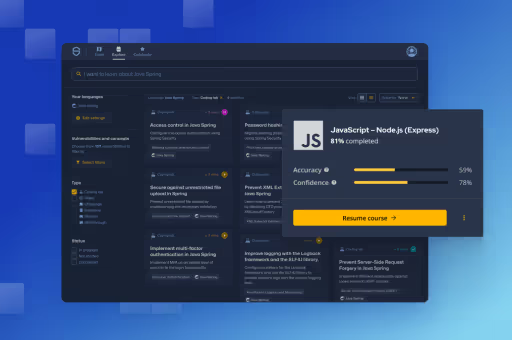
Secure Code Warrior est là pour aider votre organisation à sécuriser le code tout au long du cycle de développement logiciel et à créer une culture dans laquelle la cybersécurité est une priorité. Que vous soyez responsable de la sécurité des applications, développeur, responsable de la sécurité informatique ou toute autre personne impliquée dans la sécurité, nous pouvons aider votre organisation à réduire les risques associés à un code non sécurisé.
Réservez une démo


Jaap Karan Singh est un évangéliste du codage sécurisé, Chief Singh et cofondateur de Secure Code Warrior.
An OS command injection attack can happen whenever an application allows users to make input into a shell, but takes no actions to verify that the input strings are valid. This enables an attacker to drop commands directly into the operating system hosting the application, and at whatever permission levels are set for the compromised application.
OS command injection attacks can be performed by entry-level and less skilled hackers, which makes them one of the most common weaknesses that security teams experience. Thankfully, there are quite a few very effective ways to prevent them from being successful. In this episode, we will learn:
How they work
Why they are so dangerous
How you can put defenses in place to stop them.
How do Attackers Use OS Command Injection?
The first thing that an attacker must do in order to initiate an OS command injection attack is to locate user inputs within an application. Forms that users fill out are potentially good jumping off points. The most clever attackers can also use things like cookies or even HTTP headers as their launching point, something used by almost every application or website.
The second thing they need to do is figure out what operating system is hosting the application. Given that there are only a handful of choices, trial and error can work just fine for this phase. Most application servers are either going to be Windows-based (the flavor of Windows does not normally matter), some type of Linux box, or possibility Unix.
At that point, the hacker modifies the input to inject an operating system command into seemingly innocuous input. This can trick the hosting OS into executing unintended commands at whatever permission level the application has.
For example, the following command can be used by valid users within an application to see the contents of a file, in this case the notes from a monthly board meeting.
exec("cat " + filename)
In our example, this would execute the following command and return the meeting notes back to the user.
$ ./cat MeetingNotes.txt
There were three members of the executive committee present at the July meeting. The new budget project was discussed, but no actions or votes were taken.
This is what happens when an attacker adds additional commands at the end of the input, such as the one used to list contents of a directory in Linux. In this case, the original command, displaying the meeting notes, still happens. But the malicious user is also shown everything else is in the directory, and what other commands they can use on follow-up OS command injection attacks. They enter:
$ ./cat MeetingNotes.txt && ls
And get this instead:
There were three members of the executive committee present at the July meeting. The new budget project was discussed, but no actions or votes were taken.
MeetingNotes.txt
JuneMeetingNotes.txt
MayMeetingNotes.txt
format.c
misnull.c
notefault.c
trunc.c
writewhatwhere.c
As you can see, in this case, not only was the hacker shown the contents of the directory, but also given a menu of other commands that they could use " commands they now know they can execute on the host operating system.
Why are OS Command Injection Attacks so Dangerous?
Allowing users to bypass the purpose of the targeted application and use it to run operating system commands is extremely risky. An attacker can easily perform devastating actions such as stealing confidential data or formatting an entire server drive for example. The options available to an attacker are only limited by the allowed commands within the operating system and their creativity in using them.
OS commands are run at the same permission level as the application. Apps running with administrative privileges means hackers that compromise them can run every OS command.
The attack patterns for OS Command Injection are well known and documented. A vulnerable application is just as susceptible to script kiddies as it is to professional hackers. Attackers with very little skill can attempt to cut and paste OS commands into applications to see what happens.
Getting A Security OK against OS Command Injections
There are several good techniques that can stop OS command injections. The first step is to run applications with the least amount of privileges needed to accomplish their function. This does not prevent an attack, however if a breach does occur, the damage is minimized.
Most programming languages and frameworks provide API calls for common OS methods such as listing directory contents, creating or reading files on hard disk. One perfect way to eliminate OS command injections from your environment is to have all applications use these API calls instead of OS commands directly.
Where this is not possible, validate user inputs before using them in OS commands. Whitelists can be used to ensure only a small set of trusted values can be used. It's technically possible to do this using a blacklist too, but there are probably far fewer allowed commands, so whitelisting is almost always easier. Don't forget to include valid POST and GET parameters in your whitelist, as well as often overlooked user input vectors like cookies.
Lastly, if there is no programming API available and a whitelist cannot be used, use a sanitization library to escape any special characters in user inputs before using them in OS commands.
More Information about OS Command Injection Attacks
For further reading, you can take a look at the OWASP writeup on OS command injection attacks. You can also put your newfound defensive knowledge to the test with the free demo of the Secure Code Warrior platform, which trains cybersecurity teams to become the ultimate cyber warriors. To learn more about defeating this vulnerability, and a rogues'gallery of other threats, visit the Secure Code Warrior blog.


An OS command injection attack can happen whenever an application allows users to make input into a shell, but takes no actions to verify that the input strings are valid. This enables an attacker to drop commands directly into the operating system hosting the application, and at whatever permission levels are set for the compromised application.
OS command injection attacks can be performed by entry-level and less skilled hackers, which makes them one of the most common weaknesses that security teams experience. Thankfully, there are quite a few very effective ways to prevent them from being successful. In this episode, we will learn:
How they work
Why they are so dangerous
How you can put defenses in place to stop them.
How do Attackers Use OS Command Injection?
The first thing that an attacker must do in order to initiate an OS command injection attack is to locate user inputs within an application. Forms that users fill out are potentially good jumping off points. The most clever attackers can also use things like cookies or even HTTP headers as their launching point, something used by almost every application or website.
The second thing they need to do is figure out what operating system is hosting the application. Given that there are only a handful of choices, trial and error can work just fine for this phase. Most application servers are either going to be Windows-based (the flavor of Windows does not normally matter), some type of Linux box, or possibility Unix.
At that point, the hacker modifies the input to inject an operating system command into seemingly innocuous input. This can trick the hosting OS into executing unintended commands at whatever permission level the application has.
For example, the following command can be used by valid users within an application to see the contents of a file, in this case the notes from a monthly board meeting.
exec("cat " + filename)
In our example, this would execute the following command and return the meeting notes back to the user.
$ ./cat MeetingNotes.txt
There were three members of the executive committee present at the July meeting. The new budget project was discussed, but no actions or votes were taken.
This is what happens when an attacker adds additional commands at the end of the input, such as the one used to list contents of a directory in Linux. In this case, the original command, displaying the meeting notes, still happens. But the malicious user is also shown everything else is in the directory, and what other commands they can use on follow-up OS command injection attacks. They enter:
$ ./cat MeetingNotes.txt && ls
And get this instead:
There were three members of the executive committee present at the July meeting. The new budget project was discussed, but no actions or votes were taken.
MeetingNotes.txt
JuneMeetingNotes.txt
MayMeetingNotes.txt
format.c
misnull.c
notefault.c
trunc.c
writewhatwhere.c
As you can see, in this case, not only was the hacker shown the contents of the directory, but also given a menu of other commands that they could use " commands they now know they can execute on the host operating system.
Why are OS Command Injection Attacks so Dangerous?
Allowing users to bypass the purpose of the targeted application and use it to run operating system commands is extremely risky. An attacker can easily perform devastating actions such as stealing confidential data or formatting an entire server drive for example. The options available to an attacker are only limited by the allowed commands within the operating system and their creativity in using them.
OS commands are run at the same permission level as the application. Apps running with administrative privileges means hackers that compromise them can run every OS command.
The attack patterns for OS Command Injection are well known and documented. A vulnerable application is just as susceptible to script kiddies as it is to professional hackers. Attackers with very little skill can attempt to cut and paste OS commands into applications to see what happens.
Getting A Security OK against OS Command Injections
There are several good techniques that can stop OS command injections. The first step is to run applications with the least amount of privileges needed to accomplish their function. This does not prevent an attack, however if a breach does occur, the damage is minimized.
Most programming languages and frameworks provide API calls for common OS methods such as listing directory contents, creating or reading files on hard disk. One perfect way to eliminate OS command injections from your environment is to have all applications use these API calls instead of OS commands directly.
Where this is not possible, validate user inputs before using them in OS commands. Whitelists can be used to ensure only a small set of trusted values can be used. It's technically possible to do this using a blacklist too, but there are probably far fewer allowed commands, so whitelisting is almost always easier. Don't forget to include valid POST and GET parameters in your whitelist, as well as often overlooked user input vectors like cookies.
Lastly, if there is no programming API available and a whitelist cannot be used, use a sanitization library to escape any special characters in user inputs before using them in OS commands.
More Information about OS Command Injection Attacks
For further reading, you can take a look at the OWASP writeup on OS command injection attacks. You can also put your newfound defensive knowledge to the test with the free demo of the Secure Code Warrior platform, which trains cybersecurity teams to become the ultimate cyber warriors. To learn more about defeating this vulnerability, and a rogues'gallery of other threats, visit the Secure Code Warrior blog.
Cliquez sur le lien ci-dessous et téléchargez le PDF de cette ressource.
Secure Code Warrior est là pour aider votre organisation à sécuriser le code tout au long du cycle de développement logiciel et à créer une culture dans laquelle la cybersécurité est une priorité. Que vous soyez responsable de la sécurité des applications, développeur, responsable de la sécurité informatique ou toute autre personne impliquée dans la sécurité, nous pouvons aider votre organisation à réduire les risques associés à un code non sécurisé.
Afficher le rapportRéservez une démo
Jaap Karan Singh est un évangéliste du codage sécurisé, Chief Singh et cofondateur de Secure Code Warrior.
An OS command injection attack can happen whenever an application allows users to make input into a shell, but takes no actions to verify that the input strings are valid. This enables an attacker to drop commands directly into the operating system hosting the application, and at whatever permission levels are set for the compromised application.
OS command injection attacks can be performed by entry-level and less skilled hackers, which makes them one of the most common weaknesses that security teams experience. Thankfully, there are quite a few very effective ways to prevent them from being successful. In this episode, we will learn:
How they work
Why they are so dangerous
How you can put defenses in place to stop them.
How do Attackers Use OS Command Injection?
The first thing that an attacker must do in order to initiate an OS command injection attack is to locate user inputs within an application. Forms that users fill out are potentially good jumping off points. The most clever attackers can also use things like cookies or even HTTP headers as their launching point, something used by almost every application or website.
The second thing they need to do is figure out what operating system is hosting the application. Given that there are only a handful of choices, trial and error can work just fine for this phase. Most application servers are either going to be Windows-based (the flavor of Windows does not normally matter), some type of Linux box, or possibility Unix.
At that point, the hacker modifies the input to inject an operating system command into seemingly innocuous input. This can trick the hosting OS into executing unintended commands at whatever permission level the application has.
For example, the following command can be used by valid users within an application to see the contents of a file, in this case the notes from a monthly board meeting.
exec("cat " + filename)
In our example, this would execute the following command and return the meeting notes back to the user.
$ ./cat MeetingNotes.txt
There were three members of the executive committee present at the July meeting. The new budget project was discussed, but no actions or votes were taken.
This is what happens when an attacker adds additional commands at the end of the input, such as the one used to list contents of a directory in Linux. In this case, the original command, displaying the meeting notes, still happens. But the malicious user is also shown everything else is in the directory, and what other commands they can use on follow-up OS command injection attacks. They enter:
$ ./cat MeetingNotes.txt && ls
And get this instead:
There were three members of the executive committee present at the July meeting. The new budget project was discussed, but no actions or votes were taken.
MeetingNotes.txt
JuneMeetingNotes.txt
MayMeetingNotes.txt
format.c
misnull.c
notefault.c
trunc.c
writewhatwhere.c
As you can see, in this case, not only was the hacker shown the contents of the directory, but also given a menu of other commands that they could use " commands they now know they can execute on the host operating system.
Why are OS Command Injection Attacks so Dangerous?
Allowing users to bypass the purpose of the targeted application and use it to run operating system commands is extremely risky. An attacker can easily perform devastating actions such as stealing confidential data or formatting an entire server drive for example. The options available to an attacker are only limited by the allowed commands within the operating system and their creativity in using them.
OS commands are run at the same permission level as the application. Apps running with administrative privileges means hackers that compromise them can run every OS command.
The attack patterns for OS Command Injection are well known and documented. A vulnerable application is just as susceptible to script kiddies as it is to professional hackers. Attackers with very little skill can attempt to cut and paste OS commands into applications to see what happens.
Getting A Security OK against OS Command Injections
There are several good techniques that can stop OS command injections. The first step is to run applications with the least amount of privileges needed to accomplish their function. This does not prevent an attack, however if a breach does occur, the damage is minimized.
Most programming languages and frameworks provide API calls for common OS methods such as listing directory contents, creating or reading files on hard disk. One perfect way to eliminate OS command injections from your environment is to have all applications use these API calls instead of OS commands directly.
Where this is not possible, validate user inputs before using them in OS commands. Whitelists can be used to ensure only a small set of trusted values can be used. It's technically possible to do this using a blacklist too, but there are probably far fewer allowed commands, so whitelisting is almost always easier. Don't forget to include valid POST and GET parameters in your whitelist, as well as often overlooked user input vectors like cookies.
Lastly, if there is no programming API available and a whitelist cannot be used, use a sanitization library to escape any special characters in user inputs before using them in OS commands.
More Information about OS Command Injection Attacks
For further reading, you can take a look at the OWASP writeup on OS command injection attacks. You can also put your newfound defensive knowledge to the test with the free demo of the Secure Code Warrior platform, which trains cybersecurity teams to become the ultimate cyber warriors. To learn more about defeating this vulnerability, and a rogues'gallery of other threats, visit the Secure Code Warrior blog.
Table des matières
Jaap Karan Singh est un évangéliste du codage sécurisé, Chief Singh et cofondateur de Secure Code Warrior.
Secure Code Warrior est là pour aider votre organisation à sécuriser le code tout au long du cycle de développement logiciel et à créer une culture dans laquelle la cybersécurité est une priorité. Que vous soyez responsable de la sécurité des applications, développeur, responsable de la sécurité informatique ou toute autre personne impliquée dans la sécurité, nous pouvons aider votre organisation à réduire les risques associés à un code non sécurisé.
Réservez une démoTéléchargerRessources pour vous aider à démarrer



Ressources pour vous aider à démarrer
%20thumbnail.png)



Secure coding learning that reflects real AI usage
Align secure coding training to real AI development activity — automatically assigning guidance to developers using AI tools, without manual intervention.Align secure coding training to real AI development activity — automatically assigning guidance to developers using AI tools, without manual intervention.