

코더즈 컨커 보안: 공유 및 학습 시리즈 - 깨진 액세스 제어


When you build a business application, whether for internal use or external use by your customers, you probably don't let every user perform every single function. If you do, you may be vulnerable to broken access control.
Let's take a look at what broken access control is, why it's so dangerous, and how to fix it.
Understand Broken Access Control
Broken access control occurs when application code does not have the proper security or access checks in place. It can also occur when an application is misconfigured in some way, allowing access to functions or pages to which the user should not have access.
If you handle the finances of your company, you may have access to deposit money into certain accounts or transfer money between your company's accounts. However, you shouldn't have access to withdraw cash from those accounts or transfer money to other accounts. If the proper access checks are not present, then your employees may be able to perform more functions than necessary.
These checks can either be done within the code or in configuration files. For example, there may be XML configuration files that tell the web application framework which users are allowed to access which pages. This ensures that users can only access the functions they are authorized to use.
Why Broken Access Control is Dangerous
Consider this example: An attacker has realized that your user account creation code can be manipulated, allowing the attacker to create an admin user with a simple post request. They can send a request with the username and password, and then change it en route to include the role of admin in the URL as a parameter, or in the body of the request. The attacker logs into the application and is instantly given administrator rights.
It doesn't always have to be a malicious attacker penetrating a system. Without proper access controls, sensitive information that shouldn't be shared between departments may leak out. Imagine if any employee in the company could see HR payroll data or financial data. What would happen if any employee could see that layoffs are coming because of the poor financial situation of the company? This could be damaging to your morale and your company's reputation.
Sensitive information of customers could also be lost. Companies often store personal information of customers that use their services. Be careful not to accidentally expose this because of a lack of access control. For example, if your system gives users the ability to request their health record, do they also have the ability to request and see the health information of others? If the URL contains a customer ID number, attackers could increment that customer ID number over and over again until they find one that matches another customer, thus revealing their personal data.
Defeat Broken Access Control
Role-based access control (RBAC) is a very effective tool for implementing sound access control. Those using Active Directory may be familiar with the idea of creating groups and giving access to certain items across the group, instead of to the individual. Applications work the same way, using roles to define who is allowed to see what.
This has two advantages. First, a function doesn't have to be changed when somebody leaves the administrator role. If somebody was previously an administrator and now no longer should be, then you simply place a new person into the administrator role and remove the previous person from the role. The code checks to see if the user has the administrator role instead of checking to see if each individual user has access to a certain page or function.
The second benefit is avoiding a maintenance nightmare. Access control that is so granular that every person has associations with every single possible function or page will be impossible to manage over time. Roles make things much easier, because multiple people can be added to a role. One role may include the entire company, while another may have only five people. This makes managing the roles more efficient, as there will be fewer roles to manage. A company of 10,000 people could have only 100 roles instead of 10,000 times the number of functions in your application. Research your chosen application framework to see what options exist for robust access control.
It is also critical to use function-level access control. Protect access to all functions by requiring users to pass certain access control checks. Use the principle of least privilege, denying access by default and only opening access on an as-needed basis. It can be difficult to remember to implement access control for each function. Use a central component to manage and enforce access control.
Protect Your Sensitive Functions
Broken access control can leave your data and your application wide open for attack and exploitation. Customer data that is not protected properly could lead to a massive data breach, hurting your reputation and your revenue.
Broken access control could also lead to account takeover if attackers are able to access functionality they shouldn't access. Use proper functional level access control and you'll keep your application safe from malicious attackers, and even accidental insiders.
Think you're all over functional level access? You can challenge yourself to repair broken access control now: [Start Here]

고객이 내부용이든 외부용이든 비즈니스 애플리케이션을 구축할 때 모든 사용자가 모든 기능을 수행하도록 허용하지는 않을 수 있습니다.그렇게 하면 액세스 제어 해제에 취약해질 수 있습니다.
Jaap Karan Singh is a Secure Coding Evangelist, Chief Singh and co-founder of Secure Code Warrior.
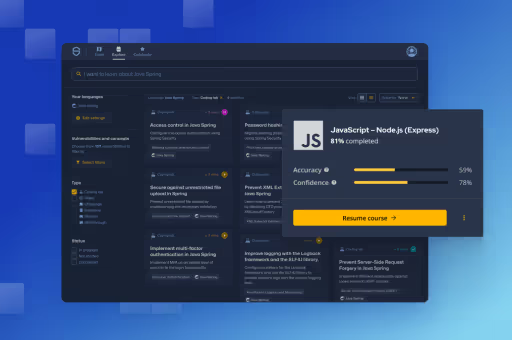
Secure Code Warrior는 전체 소프트웨어 개발 라이프사이클에서 코드를 보호하고 사이버 보안을 최우선으로 생각하는 문화를 조성할 수 있도록 조직을 위해 여기 있습니다.AppSec 관리자, 개발자, CISO 또는 보안 관련 누구든 관계없이 조직이 안전하지 않은 코드와 관련된 위험을 줄일 수 있도록 도와드릴 수 있습니다.
데모 예약


Jaap Karan Singh is a Secure Coding Evangelist, Chief Singh and co-founder of Secure Code Warrior.
When you build a business application, whether for internal use or external use by your customers, you probably don't let every user perform every single function. If you do, you may be vulnerable to broken access control.
Let's take a look at what broken access control is, why it's so dangerous, and how to fix it.
Understand Broken Access Control
Broken access control occurs when application code does not have the proper security or access checks in place. It can also occur when an application is misconfigured in some way, allowing access to functions or pages to which the user should not have access.
If you handle the finances of your company, you may have access to deposit money into certain accounts or transfer money between your company's accounts. However, you shouldn't have access to withdraw cash from those accounts or transfer money to other accounts. If the proper access checks are not present, then your employees may be able to perform more functions than necessary.
These checks can either be done within the code or in configuration files. For example, there may be XML configuration files that tell the web application framework which users are allowed to access which pages. This ensures that users can only access the functions they are authorized to use.
Why Broken Access Control is Dangerous
Consider this example: An attacker has realized that your user account creation code can be manipulated, allowing the attacker to create an admin user with a simple post request. They can send a request with the username and password, and then change it en route to include the role of admin in the URL as a parameter, or in the body of the request. The attacker logs into the application and is instantly given administrator rights.
It doesn't always have to be a malicious attacker penetrating a system. Without proper access controls, sensitive information that shouldn't be shared between departments may leak out. Imagine if any employee in the company could see HR payroll data or financial data. What would happen if any employee could see that layoffs are coming because of the poor financial situation of the company? This could be damaging to your morale and your company's reputation.
Sensitive information of customers could also be lost. Companies often store personal information of customers that use their services. Be careful not to accidentally expose this because of a lack of access control. For example, if your system gives users the ability to request their health record, do they also have the ability to request and see the health information of others? If the URL contains a customer ID number, attackers could increment that customer ID number over and over again until they find one that matches another customer, thus revealing their personal data.
Defeat Broken Access Control
Role-based access control (RBAC) is a very effective tool for implementing sound access control. Those using Active Directory may be familiar with the idea of creating groups and giving access to certain items across the group, instead of to the individual. Applications work the same way, using roles to define who is allowed to see what.
This has two advantages. First, a function doesn't have to be changed when somebody leaves the administrator role. If somebody was previously an administrator and now no longer should be, then you simply place a new person into the administrator role and remove the previous person from the role. The code checks to see if the user has the administrator role instead of checking to see if each individual user has access to a certain page or function.
The second benefit is avoiding a maintenance nightmare. Access control that is so granular that every person has associations with every single possible function or page will be impossible to manage over time. Roles make things much easier, because multiple people can be added to a role. One role may include the entire company, while another may have only five people. This makes managing the roles more efficient, as there will be fewer roles to manage. A company of 10,000 people could have only 100 roles instead of 10,000 times the number of functions in your application. Research your chosen application framework to see what options exist for robust access control.
It is also critical to use function-level access control. Protect access to all functions by requiring users to pass certain access control checks. Use the principle of least privilege, denying access by default and only opening access on an as-needed basis. It can be difficult to remember to implement access control for each function. Use a central component to manage and enforce access control.
Protect Your Sensitive Functions
Broken access control can leave your data and your application wide open for attack and exploitation. Customer data that is not protected properly could lead to a massive data breach, hurting your reputation and your revenue.
Broken access control could also lead to account takeover if attackers are able to access functionality they shouldn't access. Use proper functional level access control and you'll keep your application safe from malicious attackers, and even accidental insiders.
Think you're all over functional level access? You can challenge yourself to repair broken access control now: [Start Here]


When you build a business application, whether for internal use or external use by your customers, you probably don't let every user perform every single function. If you do, you may be vulnerable to broken access control.
Let's take a look at what broken access control is, why it's so dangerous, and how to fix it.
Understand Broken Access Control
Broken access control occurs when application code does not have the proper security or access checks in place. It can also occur when an application is misconfigured in some way, allowing access to functions or pages to which the user should not have access.
If you handle the finances of your company, you may have access to deposit money into certain accounts or transfer money between your company's accounts. However, you shouldn't have access to withdraw cash from those accounts or transfer money to other accounts. If the proper access checks are not present, then your employees may be able to perform more functions than necessary.
These checks can either be done within the code or in configuration files. For example, there may be XML configuration files that tell the web application framework which users are allowed to access which pages. This ensures that users can only access the functions they are authorized to use.
Why Broken Access Control is Dangerous
Consider this example: An attacker has realized that your user account creation code can be manipulated, allowing the attacker to create an admin user with a simple post request. They can send a request with the username and password, and then change it en route to include the role of admin in the URL as a parameter, or in the body of the request. The attacker logs into the application and is instantly given administrator rights.
It doesn't always have to be a malicious attacker penetrating a system. Without proper access controls, sensitive information that shouldn't be shared between departments may leak out. Imagine if any employee in the company could see HR payroll data or financial data. What would happen if any employee could see that layoffs are coming because of the poor financial situation of the company? This could be damaging to your morale and your company's reputation.
Sensitive information of customers could also be lost. Companies often store personal information of customers that use their services. Be careful not to accidentally expose this because of a lack of access control. For example, if your system gives users the ability to request their health record, do they also have the ability to request and see the health information of others? If the URL contains a customer ID number, attackers could increment that customer ID number over and over again until they find one that matches another customer, thus revealing their personal data.
Defeat Broken Access Control
Role-based access control (RBAC) is a very effective tool for implementing sound access control. Those using Active Directory may be familiar with the idea of creating groups and giving access to certain items across the group, instead of to the individual. Applications work the same way, using roles to define who is allowed to see what.
This has two advantages. First, a function doesn't have to be changed when somebody leaves the administrator role. If somebody was previously an administrator and now no longer should be, then you simply place a new person into the administrator role and remove the previous person from the role. The code checks to see if the user has the administrator role instead of checking to see if each individual user has access to a certain page or function.
The second benefit is avoiding a maintenance nightmare. Access control that is so granular that every person has associations with every single possible function or page will be impossible to manage over time. Roles make things much easier, because multiple people can be added to a role. One role may include the entire company, while another may have only five people. This makes managing the roles more efficient, as there will be fewer roles to manage. A company of 10,000 people could have only 100 roles instead of 10,000 times the number of functions in your application. Research your chosen application framework to see what options exist for robust access control.
It is also critical to use function-level access control. Protect access to all functions by requiring users to pass certain access control checks. Use the principle of least privilege, denying access by default and only opening access on an as-needed basis. It can be difficult to remember to implement access control for each function. Use a central component to manage and enforce access control.
Protect Your Sensitive Functions
Broken access control can leave your data and your application wide open for attack and exploitation. Customer data that is not protected properly could lead to a massive data breach, hurting your reputation and your revenue.
Broken access control could also lead to account takeover if attackers are able to access functionality they shouldn't access. Use proper functional level access control and you'll keep your application safe from malicious attackers, and even accidental insiders.
Think you're all over functional level access? You can challenge yourself to repair broken access control now: [Start Here]
아래 링크를 클릭하고 이 리소스의 PDF를 다운로드하십시오.
Secure Code Warrior는 전체 소프트웨어 개발 라이프사이클에서 코드를 보호하고 사이버 보안을 최우선으로 생각하는 문화를 조성할 수 있도록 조직을 위해 여기 있습니다.AppSec 관리자, 개발자, CISO 또는 보안 관련 누구든 관계없이 조직이 안전하지 않은 코드와 관련된 위험을 줄일 수 있도록 도와드릴 수 있습니다.
보고서 보기데모 예약
Jaap Karan Singh is a Secure Coding Evangelist, Chief Singh and co-founder of Secure Code Warrior.
When you build a business application, whether for internal use or external use by your customers, you probably don't let every user perform every single function. If you do, you may be vulnerable to broken access control.
Let's take a look at what broken access control is, why it's so dangerous, and how to fix it.
Understand Broken Access Control
Broken access control occurs when application code does not have the proper security or access checks in place. It can also occur when an application is misconfigured in some way, allowing access to functions or pages to which the user should not have access.
If you handle the finances of your company, you may have access to deposit money into certain accounts or transfer money between your company's accounts. However, you shouldn't have access to withdraw cash from those accounts or transfer money to other accounts. If the proper access checks are not present, then your employees may be able to perform more functions than necessary.
These checks can either be done within the code or in configuration files. For example, there may be XML configuration files that tell the web application framework which users are allowed to access which pages. This ensures that users can only access the functions they are authorized to use.
Why Broken Access Control is Dangerous
Consider this example: An attacker has realized that your user account creation code can be manipulated, allowing the attacker to create an admin user with a simple post request. They can send a request with the username and password, and then change it en route to include the role of admin in the URL as a parameter, or in the body of the request. The attacker logs into the application and is instantly given administrator rights.
It doesn't always have to be a malicious attacker penetrating a system. Without proper access controls, sensitive information that shouldn't be shared between departments may leak out. Imagine if any employee in the company could see HR payroll data or financial data. What would happen if any employee could see that layoffs are coming because of the poor financial situation of the company? This could be damaging to your morale and your company's reputation.
Sensitive information of customers could also be lost. Companies often store personal information of customers that use their services. Be careful not to accidentally expose this because of a lack of access control. For example, if your system gives users the ability to request their health record, do they also have the ability to request and see the health information of others? If the URL contains a customer ID number, attackers could increment that customer ID number over and over again until they find one that matches another customer, thus revealing their personal data.
Defeat Broken Access Control
Role-based access control (RBAC) is a very effective tool for implementing sound access control. Those using Active Directory may be familiar with the idea of creating groups and giving access to certain items across the group, instead of to the individual. Applications work the same way, using roles to define who is allowed to see what.
This has two advantages. First, a function doesn't have to be changed when somebody leaves the administrator role. If somebody was previously an administrator and now no longer should be, then you simply place a new person into the administrator role and remove the previous person from the role. The code checks to see if the user has the administrator role instead of checking to see if each individual user has access to a certain page or function.
The second benefit is avoiding a maintenance nightmare. Access control that is so granular that every person has associations with every single possible function or page will be impossible to manage over time. Roles make things much easier, because multiple people can be added to a role. One role may include the entire company, while another may have only five people. This makes managing the roles more efficient, as there will be fewer roles to manage. A company of 10,000 people could have only 100 roles instead of 10,000 times the number of functions in your application. Research your chosen application framework to see what options exist for robust access control.
It is also critical to use function-level access control. Protect access to all functions by requiring users to pass certain access control checks. Use the principle of least privilege, denying access by default and only opening access on an as-needed basis. It can be difficult to remember to implement access control for each function. Use a central component to manage and enforce access control.
Protect Your Sensitive Functions
Broken access control can leave your data and your application wide open for attack and exploitation. Customer data that is not protected properly could lead to a massive data breach, hurting your reputation and your revenue.
Broken access control could also lead to account takeover if attackers are able to access functionality they shouldn't access. Use proper functional level access control and you'll keep your application safe from malicious attackers, and even accidental insiders.
Think you're all over functional level access? You can challenge yourself to repair broken access control now: [Start Here]
목차
Jaap Karan Singh is a Secure Coding Evangelist, Chief Singh and co-founder of Secure Code Warrior.
Secure Code Warrior는 전체 소프트웨어 개발 라이프사이클에서 코드를 보호하고 사이버 보안을 최우선으로 생각하는 문화를 조성할 수 있도록 조직을 위해 여기 있습니다.AppSec 관리자, 개발자, CISO 또는 보안 관련 누구든 관계없이 조직이 안전하지 않은 코드와 관련된 위험을 줄일 수 있도록 도와드릴 수 있습니다.
데모 예약다운로드시작하는 데 도움이 되는 리소스



시작하는 데 도움이 되는 리소스



Secure coding learning that reflects real AI usage
Align secure coding training to real AI development activity — automatically assigning guidance to developers using AI tools, without manual intervention.Align secure coding training to real AI development activity — automatically assigning guidance to developers using AI tools, without manual intervention.

Train developers on the real risks in their code, whether human-written or AI-generated
Adaptive Learning auto-assigns targeted secure coding training to the developers introducing real vulnerabilities, reducing recurring risks at the source.Secure Code Warrior blog banner with a blue overlay over a developer working at a multi-monitor desk displaying code, alongside the headline 'Train developers on the real risks in their code.'l